

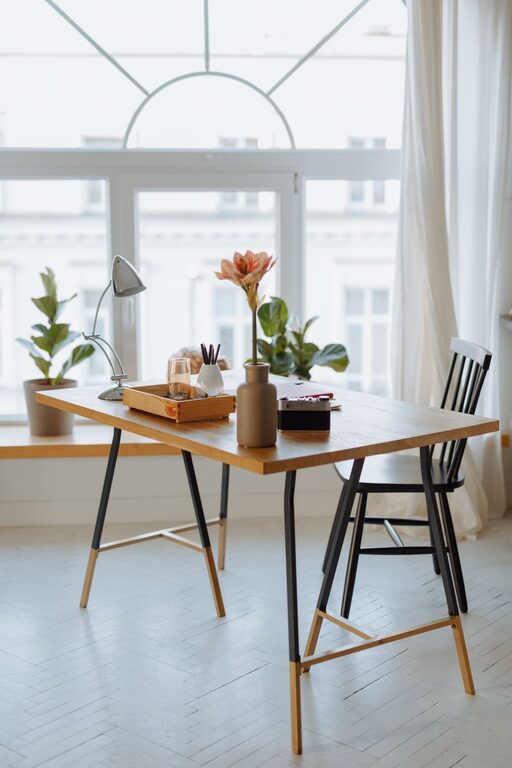
Creating a relaxing home office environment is essential for maintaining focus, reducing stress, and improving your overall work-from-home experience. Whether you’re working full-time remotely or occasionally catching up on tasks, a calming space can make all the difference. In this post, we’ll explore practical tips and ideas to help you design a home office that feels comfortable, organized, and inviting.
Why a Relaxing Home Office Matters
A peaceful workspace benefits both your mental health and productivity. When your environment feels cluttered or chaotic, it can lead to distractions and decreased motivation. On the other hand, a tidy, calming area helps you concentrate and approach your tasks more effectively. Plus, a well-designed office can reduce eye strain, physical discomfort, and feelings of burnout.
Choose the Right Location
Find a Quiet Spot
If possible, pick a room or corner with minimal noise and foot traffic. A quieter space helps prevent interruptions and allows you to focus on your work.
Consider Natural Light
Natural light is a major contributor to a relaxing environment. Position your desk near a window to take advantage of daylight. It can boost your mood and reduce the need for harsh artificial lighting.
Invest in Comfortable Furniture
Ergonomic Chair
A supportive chair with adjustable height and good back support prevents discomfort during long hours of sitting.
Functional Desk
Choose a desk that fits your space and offers enough surface area for your computer, notebook, and any accessories you need.
Add Footrests or Cushions
Small additions like a footrest or seat cushion can improve comfort and posture.
Organize and Declutter
Use Storage Solutions
Keep your office tidy with shelves, drawers, or filing cabinets. Clear surfaces help create a calm atmosphere.
Limit Desk Items
Only keep essential items on your desk to reduce distractions.
Cable Management
Use clips or sleeves to organize cords and prevent tangled cables.
Incorporate Soothing Colors
Colors influence mood. Soft blues, greens, or neutral tones often evoke calmness. Consider painting walls or selecting office accessories in these shades to promote relaxation.
Bring Nature Indoors
Houseplants
Plants improve air quality and add a natural element that can reduce stress.
Natural Materials
Wood, wicker, or stone decorations create a warm, grounded feeling in your space.
Control Lighting
Layered Lighting
Combine overhead lights with desk lamps for adjustable brightness.
Avoid Glare
Position screens to minimize glare from windows or lights to prevent eye strain.
Use Calming Scents and Sounds
Essential Oils and Candles
Scents like lavender, eucalyptus, or chamomile can promote a relaxed mood. Use these safely and avoid strong fragrances if you’re sensitive.
Background Music or White Noise
Soft instrumental music or white noise machines can help mask distractions and keep you focused.
Personalize With Meaningful Items
Display photos, artwork, or inspirational quotes that uplift you. Personal touches make the office feel welcoming and uniquely yours.
Take Regular Breaks
A relaxing space supports not only work but healthy habits. Remember to stretch, hydrate, and take short walks throughout the day to refresh your mind and body.
Keep Technology User-Friendly
Update Your Equipment
Reliable technology reduces frustration.
Use Noise-Canceling Headphones
These can help you concentrate during calls or busy times.
—
By thoughtfully designing your home office with these tips, you can create a tranquil and efficient workspace. A relaxing environment supports your well-being and helps you make the most of your work-from-home routine. Start small by improving one aspect of your office today, and enjoy the lasting benefits of a space that works for you.