

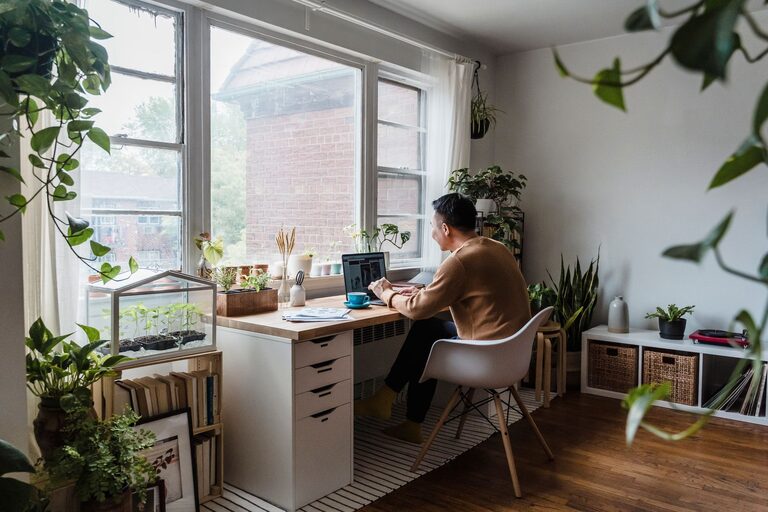
Creating a relaxing home workspace can make a significant difference in your productivity and overall comfort. Whether you work remotely full-time or occasionally need a quiet spot for projects, a well-designed space helps you stay focused and reduces stress. In this post, we’ll explore practical tips to transform your home office into a peaceful and efficient environment.
Why a Relaxing Workspace Matters
Your environment impacts how well you work. A cluttered, noisy, or uncomfortable space can distract you and lower your motivation. Conversely, a calm and comfortable workspace encourages focus, creativity, and energy. Designing a workspace tailored to your needs supports both your mental well-being and productivity.
Choose the Right Location
Find a Quiet Spot
Choose a part of your home that minimizes distractions. Ideally, pick a room or corner away from high-traffic zones where you can concentrate uninterrupted.
Consider Natural Light
Natural light boosts mood and reduces eye strain. Position your desk near a window to take advantage of daylight. If that’s not possible, use bright, adjustable lighting to keep your space well-lit.
Invest in Comfortable Furniture
Ergonomic Chair
An ergonomic chair supports your posture and reduces back pain during long periods of sitting. Look for chairs with adjustable height, lumbar support, and comfortable cushioning.
Practical Desk
Select a desk that fits your space and meets your work needs. Ensure it has enough surface area for your computer, notes, and any other essentials without feeling cramped.
Organize for Efficiency
Declutter Regularly
Keep your workspace tidy by removing unnecessary items. A clutter-free area helps your mind feel clear and focused.
Use Storage Solutions
Invest in organizers, shelves, and drawers to store supplies neatly. Label containers to quickly find what you need while maintaining order.
Personalize Your Space
Add Calming Decor
Incorporate elements like plants, artwork, or soothing colors to create a welcoming atmosphere. Greenery, for example, can improve air quality and reduce stress.
Maintain a Consistent Color Scheme
Choose colors that promote relaxation and concentration, such as soft blues, greens, or neutrals. Avoid overly bright or distracting shades.
Minimize Noise Distractions
Use Noise-Canceling Headphones
If you can’t control external noises, noise-canceling headphones can help drown out distractions.
Add Soft Textiles
Carpets, curtains, or cushions help absorb sound, making your workspace quieter and more comfortable.
Optimize Technology Setup
Position Your Screen Properly
Place your computer monitor at eye level and about an arm’s length away to avoid neck strain and eye fatigue.
Manage Cables
Use cable clips or sleeves to keep cords organized and out of sight. This reduces visual clutter and prevents tangling.
Incorporate Break Spaces
Create a Relaxation Corner
Include a small area with a comfy chair where you can take short breaks. Changing your posture and environment periodically helps maintain focus.
Use Timers for Breaks
Set reminders to stretch or move every hour to reduce physical tension and refresh your mind.
Maintain a Healthy Routine
Personalize Your Work Hours
Set a schedule that matches your natural energy levels. Working when you feel most alert increases productivity.
Stay Hydrated and Nourished
Keep a water bottle handy and snack on healthy foods to maintain energy and focus.
Final Thoughts
Designing a relaxing home workspace may take some time and experimentation, but the benefits are well worth it. By choosing the right location, investing in comfort, staying organized, minimizing distractions, and adding personal touches, you’ll boost both productivity and comfort. Remember, your workspace should support your work style and promote well-being every day. Start small and adjust your setup until you find the perfect balance!